Editing spatial video for the Apple Vision Pro is hindered by limited MV-HEVC support, complex conversion workflows, and quality loss. Current solutions like Spacialify and Canon’s EOS VR plugin require format conversions, while emerging tools like SpatialCut and open-source options promise streamlined editing but remain immature. This study reviews existing methods, evaluates encoding and metadata challenges, and explores future directions for efficient, high-quality spatial video editing and 360° immersive content creation.
Duke office of information technology
Editing Spatial Video for Apple Vision Pro: Challenges, Workflows, and Emerging Tools
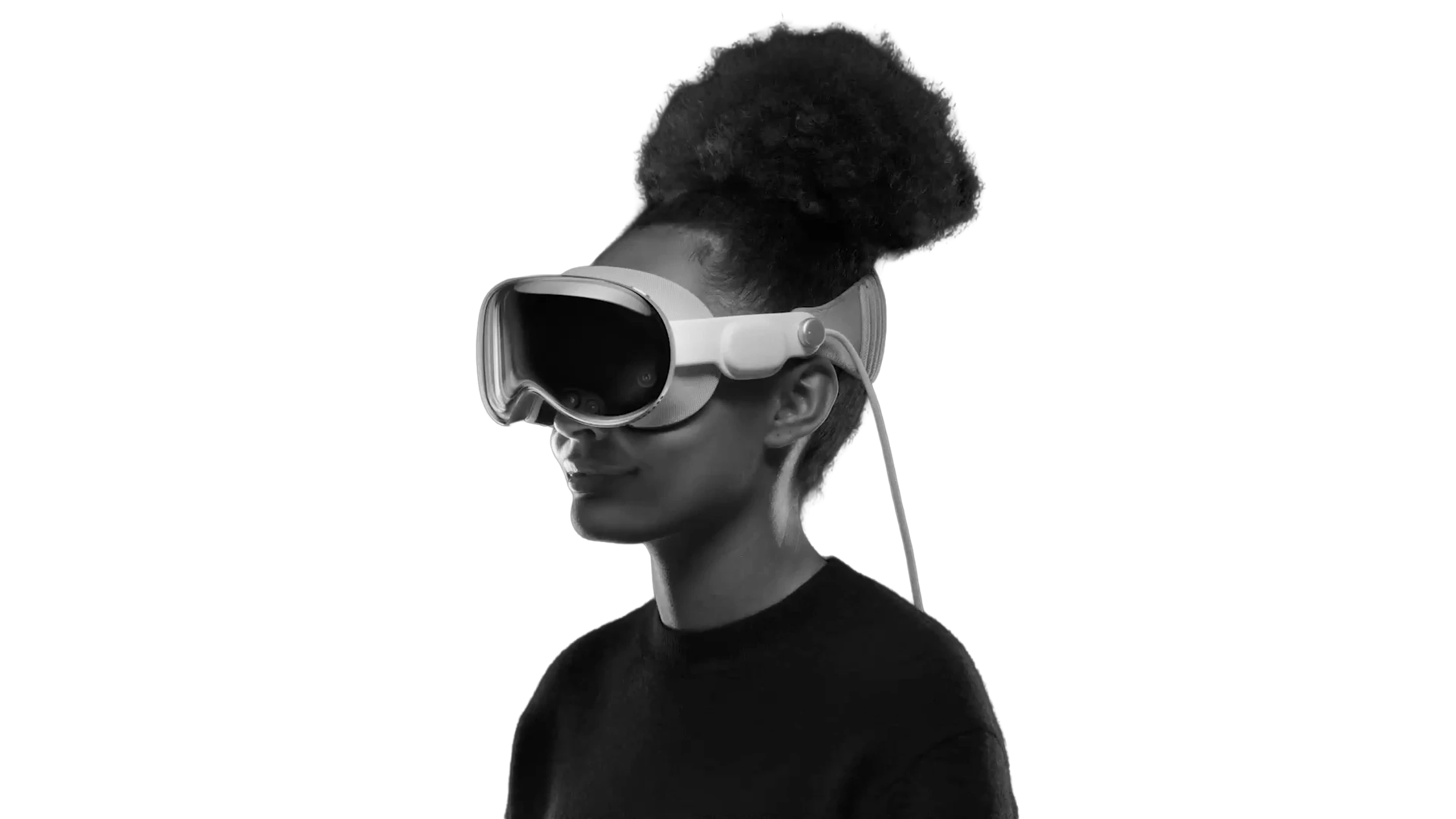
The Apple Vision Pro (AVP) marks a significant leap in consumer spatial computing, introducing a new medium of immersive storytelling through spatial video. Captured stereoscopically using MV-HEVC (Multi-View High-Efficiency Video Coding), spatial video enables depth perception and a lifelike 3D experience when viewed on the AVP or iPhone 15 Pro. However, while the capture and playback of spatial video are streamlined within Apple’s ecosystem, the editing process remains an unresolved challenge.
Current video editing suites such as DaVinci Resolve, Adobe Premiere, and Final Cut Pro offer little to no native support for MV-HEVC, forcing creators to rely on third-party tools and workarounds. Applications like Spacialify convert spatial video into side-by-side (SBS) or 2D formats for editing, but this introduces generational quality loss, metadata stripping, and inefficient workflows. Alternative solutions, including Canon’s EOS VR plugin and open-source projects like SpatialMediaKit, address parts of the problem but either impose hardware constraints, subscription models, or lack stability. New tools like SpatialCut attempt to integrate spatial video editing directly on the AVP, but these solutions are still in early development, leaving creators with incomplete and fragmented pipelines.
This research investigates the current landscape of spatial video editing, focusing on three key areas: (1) the limitations of existing workflows and toolchains, (2) the role of MV-HEVC encoding in both preserving spatial data and complicating editing, and (3) the emerging potential of native spatial editing solutions and 360° immersive content creation. By analyzing these challenges and opportunities, this paper aims to outline a path toward a robust, efficient, and high-fidelity spatial video editing workflow designed for the Apple Vision Pro and beyond.
Potential for 360° Spatial Video
While the Apple Vision Pro (AVP) delivers a highly immersive stereoscopic 3D video experience, full 360° immersive content is notably absent at launch. Although it is technically possible to view both monoscopic and stereoscopic 360° videos within the AVP, this capability currently requires third-party or custom applications. Apple’s default file system restricts immersive playback to framed spatial videos, meaning that any fully 360° or VR180 experiences—whether mono or stereo—must be packaged as standalone apps or run through specialized player software.
The hardware potential for 360° content on the AVP is substantial due to its high-resolution displays. As 360 Labs notes:
“360 experiences in 3D are an entirely different challenge, as many as 12,000 x 6,000 pixels per eye would be needed to saturate the display. However, the Meta Quest 3 and Quest Pro can only reliably play 5760x2880 per eye, so Apple has a unique opportunity here to quite easily deliver a better 3D360 experience than any other headset has thus far.” – 360 Labs
This observation highlights Apple’s advantage: while existing headsets like Meta Quest 3 and Quest Pro are limited by their maximum playback resolutions, the AVP’s superior display resolution (3,660 × 3,200 pixels per eye) opens the door for delivering unprecedented clarity and immersion in 3D360 experiences. However, achieving this will require not only optimized playback pipelines but also advancements in content creation and editing workflows that can handle the extreme resolutions necessary for fully immersive spatial environments.
MV-HEVC Encoding Mechanism and Efficiency
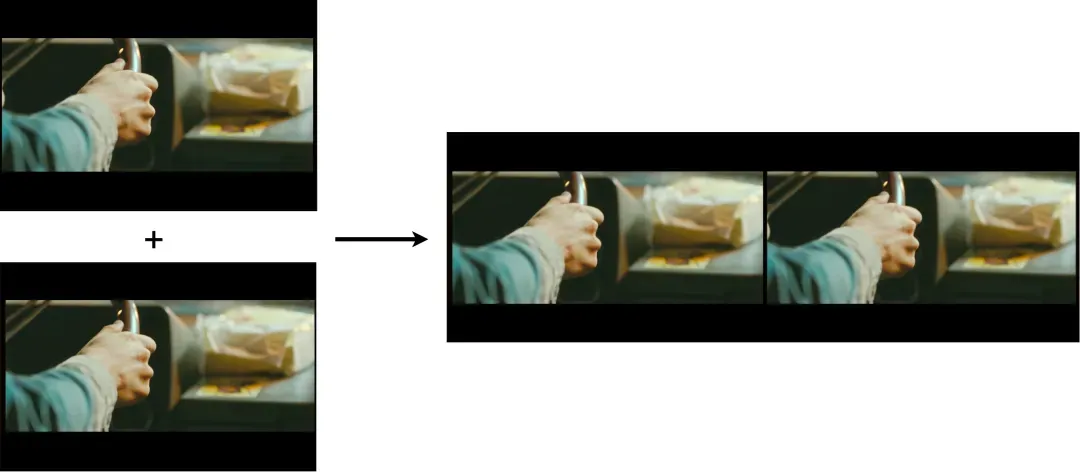
Conventional stereoscopic formats, such as High Efficiency Video Coding (HEVC), involve the encoding, transmission, and display of left and right viewpoint images. T In this structure, the left viewpoint generally serves as the primary or reference view, while the right viewpoint functions as a secondary or auxiliary view to create depth perception. These videos are generated by capturing the left and right perspectives, merging them into a single frame of 3D video in a side-by-side (SBS) format, and subsequently encoding the combined sequence for stereoscopic presentation.
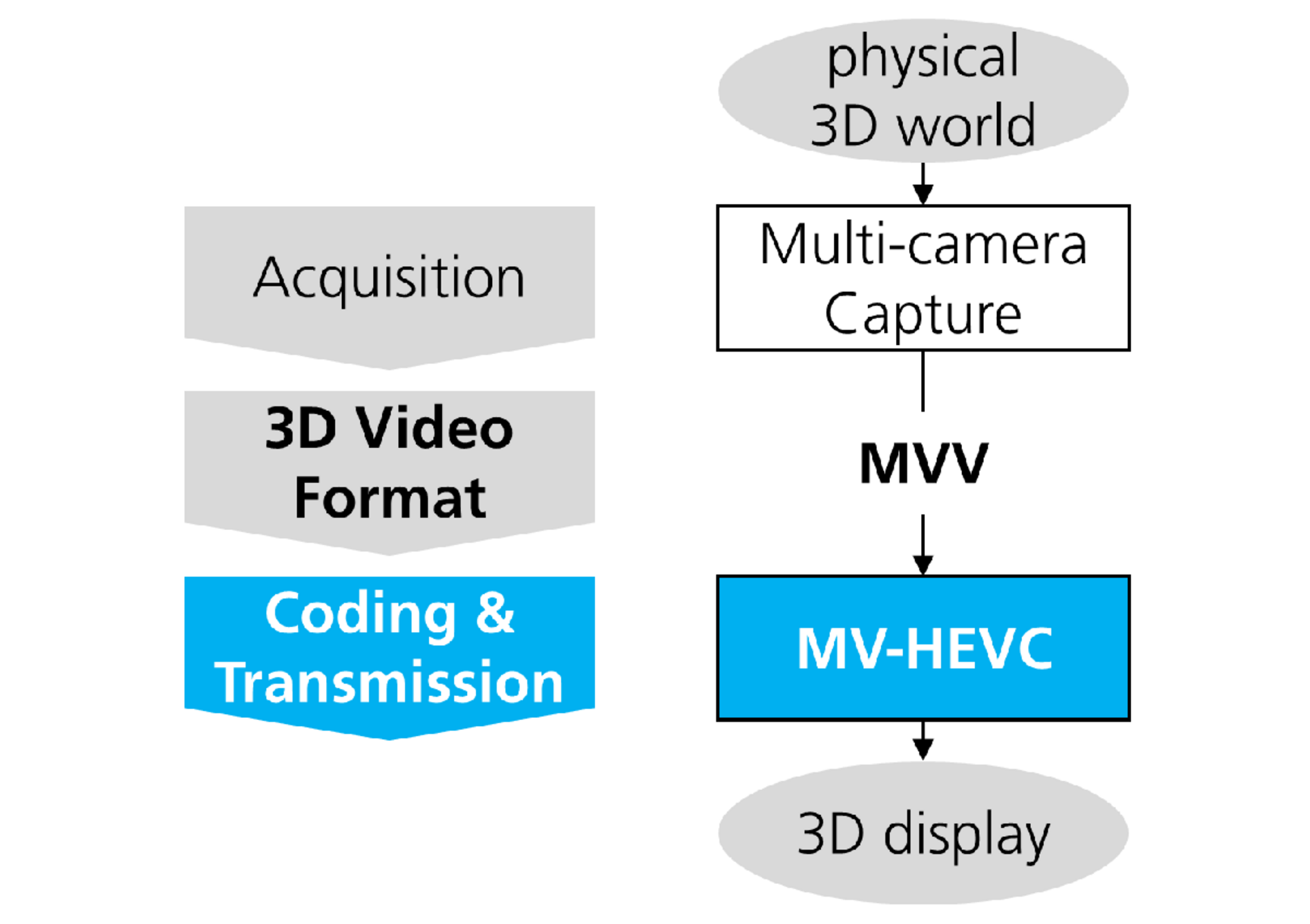
Multi-View High Efficiency Video Coding (MV-HEVC) is an extension of the HEVC standard, specifically designed to address the challenges of efficiently encoding multi-view and 3D video content. By leveraging inter-view redundancy—particularly between left and right viewports—MV-HEVC achieves superior compression efficiency, making it uniquely suited to spatial video for the Apple Vision Pro.
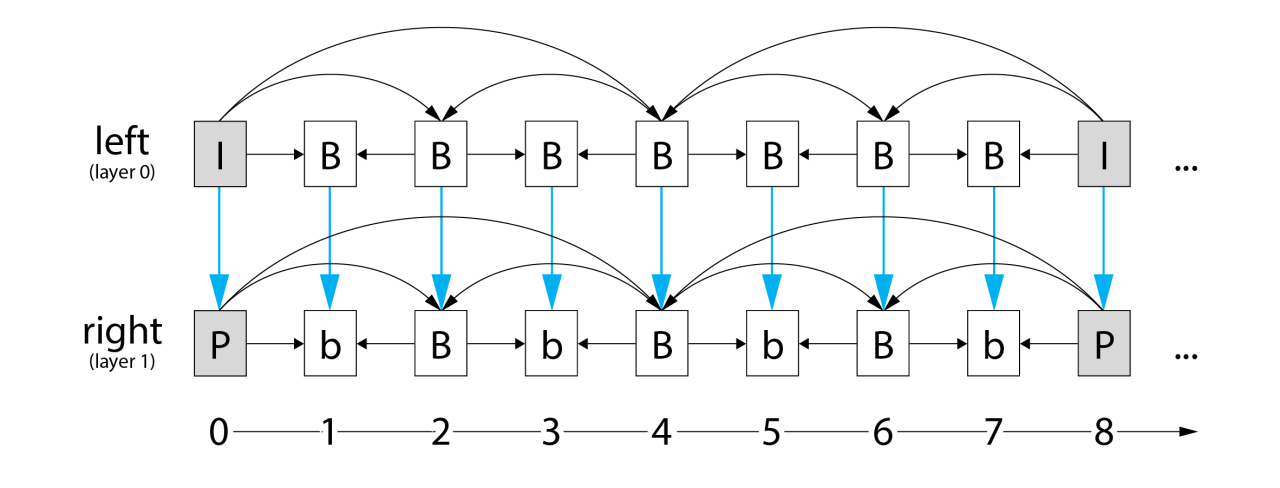
A defining feature of MV-HEVC is the introduction of the LayerId syntax element within the Network Abstraction Layer Unit (NALU) header. The LayerId specifies the viewpoint to which each NALU-encapsulated frame or slice belongs. In typical 3D video encoding scenarios, the LayerId is set to 0 for frames associated with the left view, known as the main view, and 1 for frames associated with the right view, the auxiliary view. Frames with the same Picture Order Count (POC) but different LayerId values are grouped as an Access Unit (AU). This layered structure, integral to MV-HEVC, enables a more structured reference framework that accommodates efficient inter-view prediction. This structure facilitates an organized reference framework, allowing each frame in the auxiliary view to reference frames not only from its own temporal sequence but also from the main view. This inter-view reference structure enhances encoding efficiency by exploiting the spatial and temporal redundancies across different viewpoints.
The MV-HEVC standard utilizes the motion compensation and coding tools of HEVC, extending them to support prediction between different views. By applying temporally hierarchical prediction, MV-HEVC organizes pictures according to a dependency order, rather than the display time order. This structure facilitates motion-compensated prediction between views, with arrows in the reference diagram representing the directional dependency of predicted frames. Such an approach ensures that auxiliary view frames are coded using both temporal references within the same view and inter-view references to corresponding frames in the main view. The inclusion of inter-view references enables efficient encoding by leveraging spatial and temporal correlations between views, thus reducing the overall data required to represent 3D video content.
The reference structure of MV-HEVC integrates basic HEVC techniques for the main view while augmenting them with inter-view references for the auxiliary view. For instance, an auxiliary-view frame with the same POC as a main-view frame references that main-view frame, in addition to temporal references within its own view. This dual-reference structure maximizes compression efficiency by utilizing both intra-view (temporal) and inter-view (spatial) redundancies.
MV-HEVC’s approach of referencing and coding between different viewports introduces significant compression gains for multi-view video. By embedding the LayerId to distinguish between views, and using motion compensation in a temporally hierarchical prediction order, MV-HEVC efficiently encodes 3D video with minimal redundancy. This makes it uniquely suited to applications requiring efficient multi-view video storage and transmission, such as stereoscopic 3D, virtual reality, and augmented reality, where bandwidth and storage constraints are critical.
Challenges in Editing MV-HEVC Content
The core issue in spatial video editing is the lack of NLE support for MV-HEVC, which stores stereo layers and depth metadata in separate video streams (LayerId 0 and LayerId 1). Standard editing software is not designed to interpret or preserve this metadata. When spatial videos are transcoded into editable formats, metadata such as camera disparity, field of view, and 3D layer mapping is frequently lost. Restoring spatial video from such intermediaries requires re-encoding and remapping metadata, which is both error-prone and resource-intensive. Additionally, color grading and visual effects workflows must be carefully managed to avoid breaking stereo consistency across the left and right views.
Workflows
Editing spatial video for the Apple Vision Pro (AVP) is significantly more complex than traditional 2D or even standard stereoscopic video editing due to the unique requirements of MV-HEVC (Multi-View High-Efficiency Video Coding) and the need to preserve spatial metadata. While AVP and iPhone 15 Pro devices natively capture spatial videos, existing professional video editing tools such as Adobe Premiere Pro, DaVinci Resolve, and Final Cut Pro lack direct support for MV-HEVC. As a result, editors are forced to adopt multi-step, often lossy workflows that involve converting spatial footage into an editable format, editing in 2D environments, and then re-encoding the video back into a spatial container.
Spacialify-Based Workflow One of the most widely used approaches involves the Spacialify app, which converts AVP spatial videos from their MV-HEVC format into 2D or side-by-side (SBS) stereoscopic formats. This allows editors to work with the footage in conventional non-linear editing (NLE) suites such as DaVinci Resolve or Adobe Premiere. After editing, the footage must be converted back into the MV-HEVC format with preserved spatial metadata to restore 3D depth information.
Advantages: Allows use of professional NLE tools with familiar workflows.
Drawbacks: Each conversion step introduces potential quality loss due to lossy re-encoding, and metadata may be stripped or corrupted. The process is also time-intensive and involves multiple device and software transfers, reducing efficiency.
Canon EOS VR Plugin Workflow Canon’s EOS VR plugin for Adobe Premiere Pro offers direct integration for stereoscopic video editing, but it is limited to footage captured using Canon’s EOS VR system (dual fisheye lens + compatible camera). The plugin converts dual fisheye imagery into equirectangular format, which can then be edited directly within Premiere. While this solution streamlines workflow for Canon users, it is cost-prohibitive—requiring approximately $4,000 in specialized camera equipment—and does not support AVP spatial videos natively.
Emerging SpatialCut Workflow SpatialCut, a new app currently in beta, aims to simplify the editing of AVP spatial videos by allowing direct editing without multiple format conversions. The application claims to preserve original video quality by avoiding generational re-encoding and to streamline the editing process on-device. However, its current feature set is limited, as it is still in early access and may lack the advanced tools available in professional NLE suites. Its $12 price point and App Store availability suggest it is positioned as a lightweight solution for basic spatial editing rather than a professional-grade pipeline.
Open-Source Alternatives: SpatialMediaKit The open-source SpatialMediaKit (Sturmen, GitHub) provides command-line utilities for converting spatial videos between MV-HEVC and ProRes 422 HQ, a visually lossless format. Unlike Spacialify, it avoids HEVC compression during conversion, which minimizes generational quality loss. While promising, the toolset is not a full video editor and requires additional software for creative editing, making it most useful as part of a hybrid workflow with professional editing suites.
Future Directions
The ideal solution would be an editing environment that directly supports MV-HEVC streams while preserving spatial metadata throughout the pipeline. This could include features such as a “floating” 3D viewport inside the AVP, allowing real-time spatial previews as editors work on traditional 2D timelines. While technically feasible, such a solution would be computationally demanding and would require significant software development to integrate with existing editing frameworks.
Current Best Workflow
An alternative approach to editing spatial video involves using Spatial, a command-line tool developed by Mike Swanson. This tool allows creators to convert Apple Vision Pro spatial videos to and from side-by-side (SBS) stereoscopic format. In SBS format, the left and right eye images are combined into a single frame, placed horizontally next to each other, which makes them compatible with most traditional video editing software.
The workflow begins by converting MV-HEVC spatial video into an SBS format using the Spatial tool. Once converted, the video can be imported into non-linear editing (NLE) suites such as DaVinci Resolve, Adobe Premiere Pro, or Final Cut Pro. This process enables common editing operations—including cutting, splicing, and color grading—without stripping essential 3D visual information. After editing, the video is exported from the NLE as a standard 2D file, which is then re-encoded back into the MV-HEVC spatial format using Spatial, restoring its stereoscopic layers and metadata.
While this method provides a relatively straightforward way to integrate spatial video into professional editing pipelines, it is not without drawbacks. The command-line interface can be cumbersome for larger projects, especially when dealing with multiple clips that require batch conversion. The tool’s reliance on manual terminal commands may also pose a barrier for less technical users, as it lacks the user-friendly graphical interfaces of mainstream editing plugins. Additionally, since Spatial is not yet widely known or documented, new users may face a learning curve in setting up the tool and ensuring metadata integrity during the round-trip conversion process.
Despite these challenges, Swanson’s tool is one of the few available solutions that allows creators to maintain high-quality 3D video throughout the editing process without introducing generational loss. Its flexibility and ability to preserve stereo integrity make it a critical stopgap solution until professional editing software offers native MV-HEVC support.
Future Development
Future work on this project will proceed along several avenues. The immediate focus will be on systematically evaluating the capabilities of the current toolset, particularly in relation to advanced editing operations such as text and overlay integration. A second direction involves the development of a more accessible user interface, potentially in the form of a plugin or extension for established non-linear editing platforms. Such an integration would enable seamless import and export of spatial media, reducing reliance on command-line workflows and improving usability for non-technical users. Finally, ongoing research will explore the feasibility of algorithmically converting conventional 2D video into spatial video, thereby extending the range of compatible content and broadening the potential applications of this technology.
Sharing Spatial Video
The MV-HEVC media can be shared from the apple vision pro through AirDrop, Mail, or Messages. Photos and videos captured in spatial format appear in 3D on Apple Vision Pro, but display in 2D on other devices. If you record spatial videos using an iPhone 15 Pro or iPhone 15 Pro Max, you can share them with Apple Vision Pro users, allowing them to experience the 3D effect on their device.
Sources
Key Tools & Workflows
Spacialify App – Converts spatial videos between VR and 2D formats for editing.
SpatialCut – The first spatial video editor designed for Apple Vision Pro. SpatialCut Website
Canon EOS VR System – EOS VR Plugin for Adobe Premiere Pro, designed for dual-fisheye footage.